I learned a neat trick with Proxmox tonight


I love self-hosted stuff. Virtualization is a huge component of that!
That's why I'm so excited to learn that Proxmox 8 actually includes Virtiofs support.
I have been so busy with work and life recently that Proxmox 8's featureset had been lost on me. So if you're in the same boat as I am, check this out:
If you've got a directory in the host machine that you want to pass through to a virtual machine, you can use virtiofs to handle that process.
First of all, you'll need to make sure that you're running Proxmox 8. Go ahead and run the command pveversion -v and you should see proxmox-ve 8.4.0

Next, make sure that the target VM is running at least Linux kernel version 5.4 or later.

Boom. We're good to go.
So let's start the process. And good news: it's pretty easy, too!
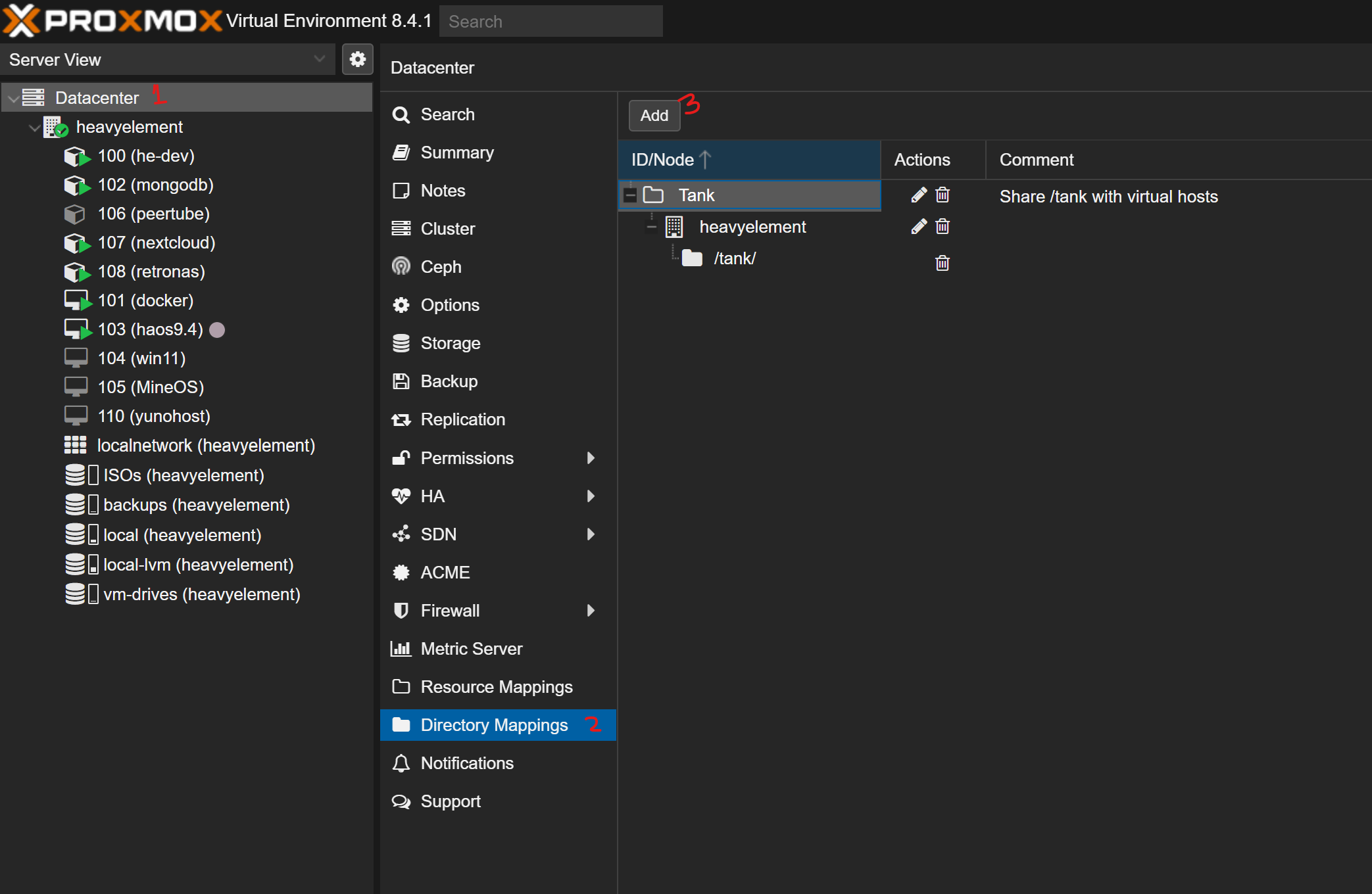
Log into your Proxmox web UI and go to the Datacenter option, then find "Directory Mappings" and click the "Add" button.
Now, give your mapping a name (this is how it will be referenced in your VM), a path, and an (optional) comment.
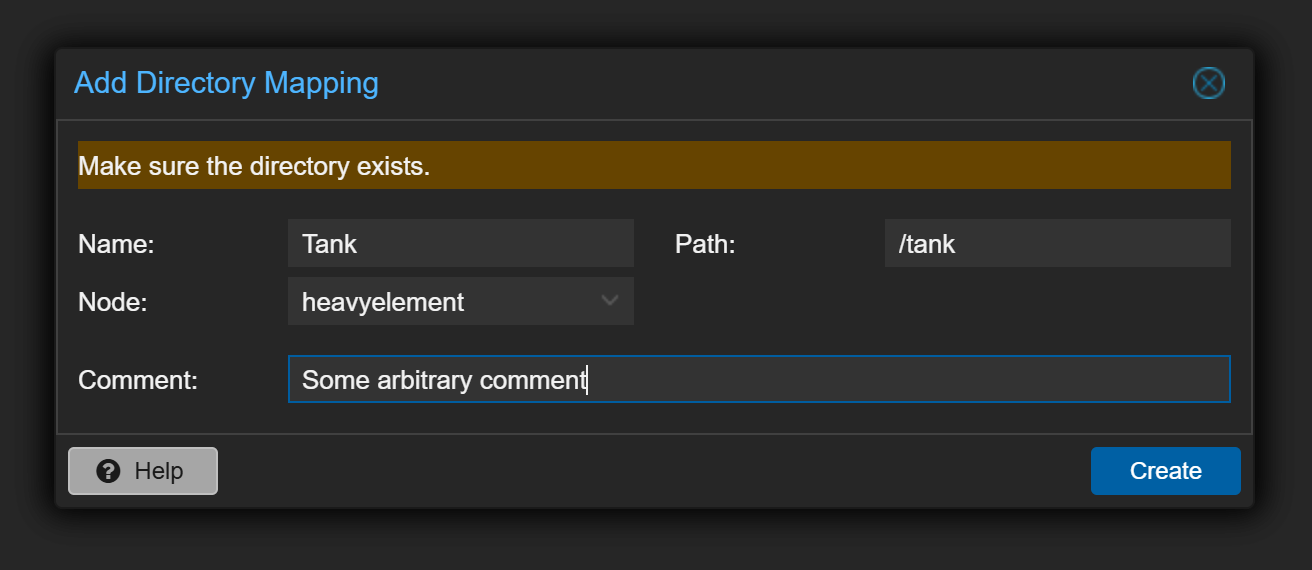
From here click create!
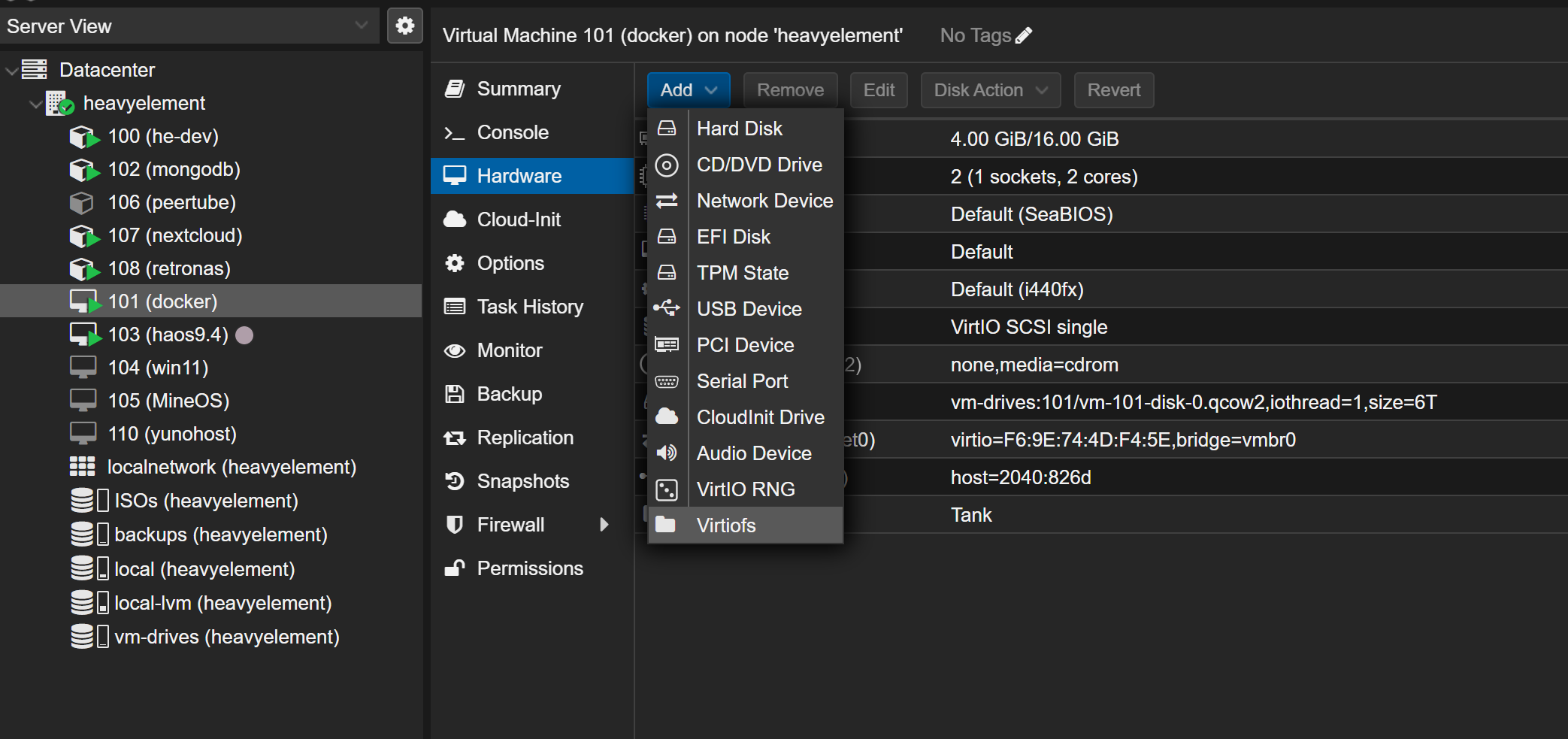
Great. Now go to the VM you want to have access to your directory. Click Hardware, then Add -> Virtiofs.
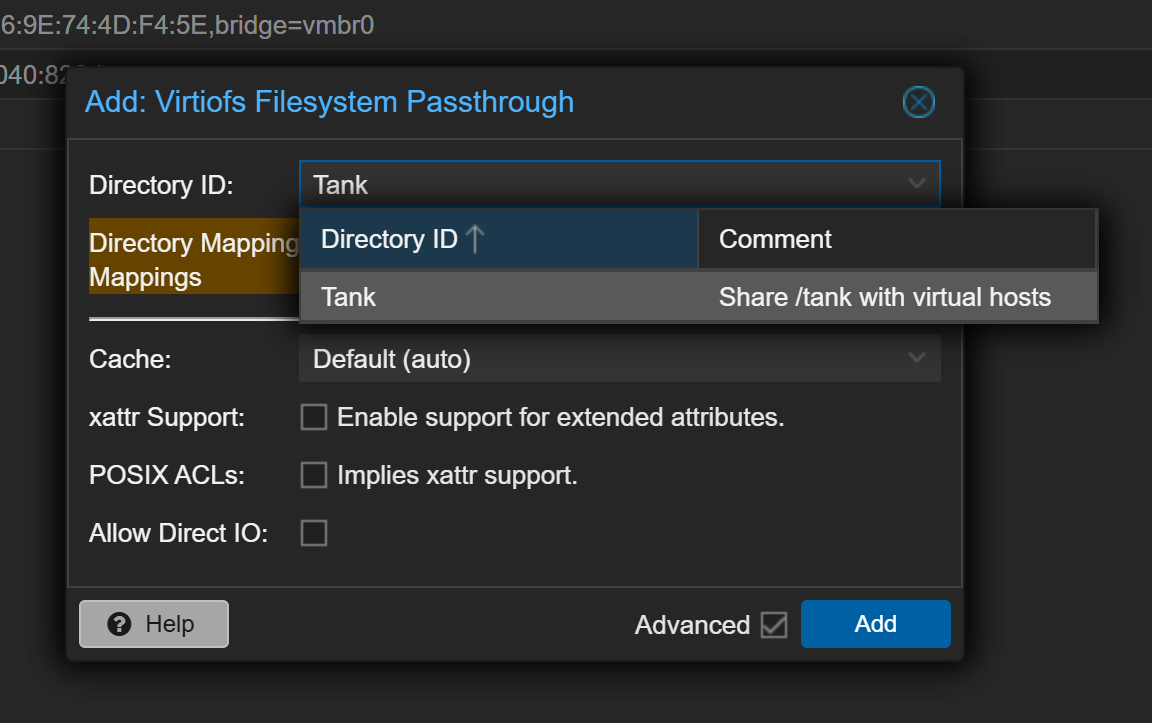
Now, select the Mapping we created and click Add.
Finally, log into your VM and specify a mountpoint.
For my VM, I modified /etc/fstab by adding to the end.
Tank /tank virtiofs rw,relatime 0 0But now, when you start up your VM, you're golden and you should have full access to the host's shared filesystem on a virtual machine!

About The Author:
Gardiner Bryant
I'm an educator, free software advocate, and storyteller. My passion lies in Linux gaming, self-hosting, the fediverse, and the human stories behind the tech we use every day. I believe in privacy, justice, community, and integrity.